
Flower Forest Level 37 - Red Block Letters
How to Beat Level 37 Flower Forest
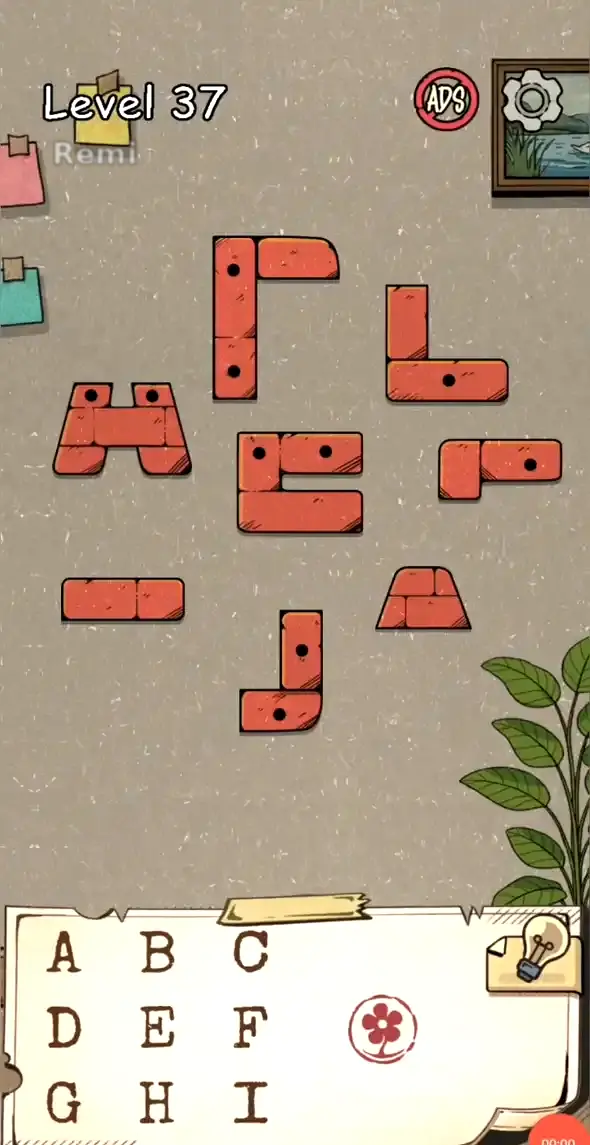
- 1Scan the wall of red blocks and note the edge notch shape and the black-dot count on each piece
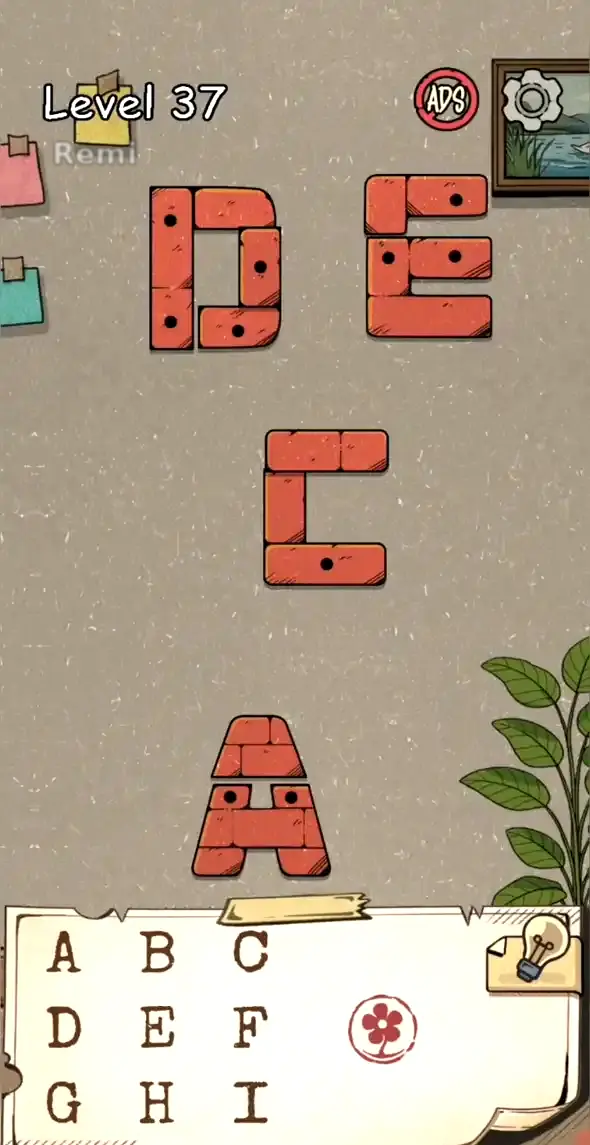
- 2Build the D and E letters up top first, locking the edge notches together so seams sit flush
- 3Move to the middle for the C, then drop down to build the A at the bottom, finishing all four letters layer by layer
- 4Check that every letter's black dots stay fully visible and aren't swallowed by a neighboring block
Level 37 Flower Forest - Final Answer
How to read the answer: Each finished letter carries a different black-dot count: C has one, A has two, E has three, and D has four. Read the letters by dot count from one to four, not left to right, and the order comes out C → A → E → D.
Flower Forest Level 37 - Red Block Letters
The start scene covers the wall with loose red blocks, each carrying a differently shaped edge notch and a handful of black dots inside. In the solved scene the blocks have locked into four clean large letters — D, E, C, and A — spread across the upper, middle, and lower bands of the wall.
This is a block-assembly puzzle. Drag and rotate the red blocks so their edge notches interlock, building out the four large letters one at a time. The letter shape is only half the puzzle — the black dots inside each letter have to stay intact, since their count is what sets the read order.
Level 37 Flower Forest Key Takeaways
- Read notches and dots first: Each block's edge notch sets where it fits, and its black-dot count sets the read order
- Build D and E up top: Start in the upper band and lock the D and E letters in first
- Add C in the middle, A at the bottom: Move down to finish the C, then cap the build with the A at the bottom
- Keep every black dot intact: The dot count inside each letter has to stay full, with no dots hidden under a neighboring block
- Read by dot count, not position: C carries one dot, A two, E three, D four, so the order runs 1 through 4
- Lock in the sequence: Reading by dot count gives C → A → E → D, not the left-to-right layout on screen
Share this guide